¶ Jupyterhub deploy old
위 버전과 저장소는 오래된 것이라 저장소가 존재하지 않을 수 있다.
Helm chart 를 이용한다.
Jupyter 홈페이지 에서 정보를 확인할 수 있다.
Helm chart 1.2.0
¶ Helm repo 등록
helm repo add jupyterhub https://jupyterhub.github.io/helm-chart/
¶ Notebook image build (All-spark-notebook)
¶ all-spark-notebook dockerfile
# Copyright (c) Jupyter Development Team.
# Distributed under the terms of the Modified BSD License.
ARG OWNER=jupyter
ARG BASE_CONTAINER=$OWNER/pyspark-notebook
FROM $BASE_CONTAINER

LABEL maintainer="Jupyter Project "

USER root

COPY ./kubectl /bin/

# RSpark config
ENV R_LIBS_USER "${SPARK_HOME}/R/lib"
RUN fix-permissions "${R_LIBS_USER}"
RUN echo "${NB_USER}         ALL=(ALL)       NOPASSWD: ALL" >> /etc/sudoers

# R pre-requisites
RUN apt-get update --yes && \
    apt-get install --yes --no-install-recommends \
    fonts-dejavu \
    gfortran \
    gcc \
    telnet tcpdump lynx build-essential libjpeg-dev curl && \
    apt-get clean && rm -rf /var/lib/apt/lists/*

USER ${NB_UID}

RUN echo "alias ll='ls -lha --color=auto'">>/home/jovyan/.bash_profile
RUN  mkdir /home/jovyan/.kube
COPY .kube/config /home/jovyan/.kube/
RUN sudo chown $(id -u):$(id -g) /home/jovyan/.kube/config
# R packages including IRKernel which gets installed globally.
RUN mamba install --quiet --yes \
    'r-base' \
    'r-ggplot2' \
    'r-irkernel' \
    'r-rcurl' \
    'r-sparklyr' && \
    mamba clean --all -f -y && \
    fix-permissions "${CONDA_DIR}" && \
    fix-permissions "/home/${NB_USER}"

# Spylon-kernel
RUN mamba install --quiet --yes 'spylon-kernel' && \
    mamba clean --all -f -y && \
    python -m spylon_kernel install --sys-prefix && \
    rm -rf "/home/${NB_USER}/.local" && \
    fix-permissions "${CONDA_DIR}" && \
    fix-permissions "/home/${NB_USER}"

RUN pip install --no-cache-dir s3fs py4j toml xgboost==1.5.1 lightgbm==3.3.1 scikit-learn==1.0.1 mlflow mlflow-skinny sqlalchemy alembic sqlparse tqdm boto3 jupyter-server-proxy petastorm &&\
    fix-permissions "${CONDA_DIR}" && \
    fix-permissions "/home/${NB_USER}"
RUN jupyter serverextension enable --sys-prefix jupyter_server_proxy
¶ chart download
[haedong@haedongg.net:~:]$ wget https://jupyterhub.github.io/helm-chart/jupyterhub-1.2.0.tgz
--2021-11-24 09:36:51--  https://jupyterhub.github.io/helm-chart/jupyterhub-1.2.0.tgz
Length: 43734 (43K) [application/octet-stream]
Saving to: ‘jupyterhub-1.2.0.tgz’
100%[======================================================] 43,734      --.-K/s   in 0.01s
2021-11-24 09:36:53 (3.45 MB/s) - ‘jupyterhub-1.2.0.tgz’ saved [43734/43734]

[haedong@haedongg.net:~:]$ tar -cvzf jupyterhub-1.2.0.tgz
jupyterhub/Chart.yaml
jupyterhub/values.yaml
...중략...
jupyterhub/templates/scheduling/user-scheduler/rbac.yaml
jupyterhub/templates/singleuser/netpol.yaml
jupyterhub/templates/singleuser/secret.yaml
jupyterhub/.helmignore
jupyterhub/README.md
jupyterhub/files/hub/jupyterhub_config.py
jupyterhub/files/hub/z2jh.py
¶ 수정
일반적인 환경에서는 특별히 수정할 것이 없다.
[haedong@haedongg.net:~/jupyterhub:]$ vi values.yaml
...중략...
hub:
  config:
    Authenticator:
      admin_users:
        - admin              # 관리자 계정
#       - administrator      이렇게 추가
    DummyAuthenticator:
      password: ${REDACTED}
    JupyterHub:
      admin_access: true
      authenticator_class: dummy
...중략...
  defaultUrl: "/lab"   #Jupyter notebook을 사용하는 경우 비운다.
  extraPodConfig: {}
# 여러개의 notebook image를 선택적으로 제공하는 경우
  profileList:
    - display_name: "ALL spark notebook"
      description: "All spark notebook from jupyter hub stack"
      default: true
    - display_name: "MINIMAL spark notebook"
      description: "Minimal spark notebook from jupyter hub stack"
      kubespawner_override:
        image: redmine:8443/encore/jupyter/minimal-spark-notebook:latest
...중략...
# 아래 포트를 지정하지 않으면 임의의 포트가 지정된다.
    nodePorts:
      http: 30011
      https:
...후략
¶ values.yaml 예시
# fullnameOverride and nameOverride distinguishes blank strings, null values,
# and non-blank strings. For more details, see the configuration reference.
fullnameOverride: ""
nameOverride:

# custom can contain anything you want to pass to the hub pod, as all passed
# Helm template values will be made available there.
custom: {}

# imagePullSecret is configuration to create a k8s Secret that Helm chart's pods
# can get credentials from to pull their images.
imagePullSecret:
  ${REDACTED} false
  automaticReferenceInjection: true
  registry:
  username:
  password:
  ${REDACTED}
# imagePullSecrets is configuration to reference the k8s Secret resources the
# Helm chart's pods can get credentials from to pull their images.
imagePullSecrets: []

# hub relates to the hub pod, responsible for running JupyterHub, its configured
# Authenticator class KubeSpawner, and its configured Proxy class
# ConfigurableHTTPProxy. KubeSpawner creates the user pods, and
# ConfigurableHTTPProxy speaks with the actual ConfigurableHTTPProxy server in
# the proxy pod.
hub:
  config:
    Authenticator:
      admin_users:
        - admin              # 관리자 계정
#       - administrator      이렇게 추가
    DummyAuthenticator:
      password: ${REDACTED}
    JupyterHub:
      admin_access: true
      authenticator_class: dummy
  service:
    type: ClusterIP       # jupyterhub를 통해 연결하므로 Nodeport 등으로 변경하면 안된다.
    annotations: {}
    ports:
      nodePort:
    extraPorts: []
    loadBalancerIP:
  baseUrl: /
  cookieSecret:
  ${REDACTED} []
  fsGid: 1000
  nodeSelector: {}
  tolerations: []
  concurrentSpawnLimit: 64
  consecutiveFailureLimit: 5
  activeServerLimit:
  deploymentStrategy:
    ## type: Recreate
    ## - sqlite-pvc backed hubs require the Recreate deployment strategy as a
    ##   typical PVC storage can only be bound to one pod at the time.
    ## - JupyterHub isn't designed to support being run in parallell. More work
    ##   needs to be done in JupyterHub itself for a fully highly available (HA)
    ##   deployment of JupyterHub on k8s is to be possible.
    type: Recreate
  db:
    type: sqlite-pvc
    upgrade:
    pvc:
      annotations: {}
      selector: {}
      accessModes:
        - ReadWriteOnce
      storage: 1Gi
      subPath:
      storageClassName:                 # 별도의 SC를 지정하지 않으면 default SC
    url:
    password:
  ${REDACTED} {}
  annotations: {}
  command: []
  args: []
  extraConfig: {}
  extraFiles: {}
  extraEnv: {}
  extraContainers: []
  extraVolumes: []
  extraVolumeMounts: []
  image:
    name: jupyterhub/k8s-hub
    tag: "1.2.0"
    pullPolicy:
    pullSecrets: []
  resources: {}
  containerSecurityContext:
    runAsUser: 1000
    runAsGroup: 1000
    allowPrivilegeEscalation: false
  lifecycle: {}
  services: {}
  pdb:
    enabled: false
    maxUnavailable:
    minAvailable: 1
  networkPolicy:
    enabled: true
    ingress: []
    ## egress for JupyterHub already includes Kubernetes internal DNS and
    ## access to the proxy, but can be restricted further, but ensure to allow
    ## access to the Kubernetes API server that couldn't be pinned ahead of
    ## time.
    ##
    ## ref: https://stackoverflow.com/a/59016417/2220152
    egress:
      - to:
          - ipBlock:
              cidr: 0.0.0.0/0
    interNamespaceAccessLabels: ignore
    allowedIngressPorts: []
  allowNamedServers: false
  namedServerLimitPerUser:
  authenticatePrometheus:
  redirectToServer:
  shutdownOnLogout:
  templatePaths: []
  templateVars: {}
  livenessProbe:
    # The livenessProbe's aim to give JupyterHub sufficient time to startup but
    # be able to restart if it becomes unresponsive for ~5 min.
    enabled: true
    initialDelaySeconds: 300
    periodSeconds: 10
    failureThreshold: 30
    timeoutSeconds: 3
  readinessProbe:
    # The readinessProbe's aim is to provide a successful startup indication,
    # but following that never become unready before its livenessProbe fail and
    # restarts it if needed. To become unready following startup serves no
    # purpose as there are no other pod to fallback to in our non-HA deployment.
    enabled: true
    initialDelaySeconds: 0
    periodSeconds: 2
    failureThreshold: 1000
    timeoutSeconds: 1
  existingSecret:
  ${REDACTED}
    annotations: {}
  extraPodSpec: {}

rbac:
  enabled: true

# proxy relates to the proxy pod, the proxy-public service, and the autohttps
# pod and proxy-http service.
proxy:
  secretToken:
  annotations: {}
  deploymentStrategy:
    ## type: Recreate
    ## - JupyterHub's interaction with the CHP proxy becomes a lot more robust
    ##   with this configuration. To understand this, consider that JupyterHub
    ##   during startup will interact a lot with the k8s service to reach a
    ##   ready proxy pod. If the hub pod during a helm upgrade is restarting
    ##   directly while the proxy pod is making a rolling upgrade, the hub pod
    ##   could end up running a sequence of interactions with the old proxy pod
    ##   and finishing up the sequence of interactions with the new proxy pod.
    ##   As CHP proxy pods carry individual state this is very error prone. One
    ##   outcome when not using Recreate as a strategy has been that user pods
    ##   have been deleted by the hub pod because it considered them unreachable
    ##   as it only configured the old proxy pod but not the new before trying
    ##   to reach them.
    type: Recreate
    ## rollingUpdate:
    ## - WARNING:
    ##   This is required to be set explicitly blank! Without it being
    ##   explicitly blank, k8s will let eventual old values under rollingUpdate
    ##   remain and then the Deployment becomes invalid and a helm upgrade would
    ##   fail with an error like this:
    ##
    ##     UPGRADE FAILED
    ##     Error: Deployment.apps "proxy" is invalid: spec.strategy.rollingUpdate: Forbidden: may not be specified when strategy `type` is 'Recreate'
    ##     Error: UPGRADE FAILED: Deployment.apps "proxy" is invalid: spec.strategy.rollingUpdate: Forbidden: may not be specified when strategy `type` is 'Recreate'
    rollingUpdate:
  # service relates to the proxy-public service
  service:
    type: LoadBalancer
    labels: {}
    annotations: {}
# 아래 포트를 지정하지 않으면 임의의 포트가 지정된다.
    nodePorts:
      http: 30011
      https:
    disableHttpPort: false
    extraPorts: []
    loadBalancerIP:
    loadBalancerSourceRanges: []
  # chp relates to the proxy pod, which is responsible for routing traffic based
  # on dynamic configuration sent from JupyterHub to CHP's REST API.
  chp:
    containerSecurityContext:
      runAsUser: 65534 # nobody user
      runAsGroup: 65534 # nobody group
      allowPrivilegeEscalation: false
    image:
      name: jupyterhub/configurable-http-proxy
      tag: 4.5.0 # https://github.com/jupyterhub/configurable-http-proxy/releases
      pullPolicy:
      pullSecrets: []
    extraCommandLineFlags: []
    livenessProbe:
      enabled: true
      initialDelaySeconds: 60
      periodSeconds: 10
    readinessProbe:
      enabled: true
      initialDelaySeconds: 0
      periodSeconds: 2
      failureThreshold: 1000
    resources: {}
    defaultTarget:
    errorTarget:
    extraEnv: {}
    nodeSelector: {}
    tolerations: []
    networkPolicy:
      enabled: true
      ingress: []
      egress:
        - to:
            - ipBlock:
                cidr: 0.0.0.0/0
      interNamespaceAccessLabels: ignore
      allowedIngressPorts: [http, https]
    pdb:
      enabled: false
      maxUnavailable:
      minAvailable: 1
    extraPodSpec: {}
  # traefik relates to the autohttps pod, which is responsible for TLS
  # termination when proxy.https.type=letsencrypt.
  traefik:
    containerSecurityContext:
      runAsUser: 65534 # nobody user
      runAsGroup: 65534 # nobody group
      allowPrivilegeEscalation: false
    image:
      name: traefik
      tag: v2.4.11 # ref: https://hub.docker.com/_/traefik?tab=tags
      pullPolicy:
      pullSecrets: []
    hsts:
      includeSubdomains: false
      preload: false
      maxAge: 15724800 # About 6 months
    resources: {}
    labels: {}
    extraEnv: {}
    extraVolumes: []
    extraVolumeMounts: []
    extraStaticConfig: {}
    extraDynamicConfig: {}
    nodeSelector: {}
    tolerations: []
    extraPorts: []
    networkPolicy:
      enabled: true
      ingress: []
      egress:
        - to:
            - ipBlock:
                cidr: 0.0.0.0/0
      interNamespaceAccessLabels: ignore
      allowedIngressPorts: [http, https]
    pdb:
      enabled: false
      maxUnavailable:
      minAvailable: 1
    serviceAccount:
      annotations: {}
    extraPodSpec: {}
  secretSync:
    containerSecurityContext:
      runAsUser: 65534 # nobody user
      runAsGroup: 65534 # nobody group
      allowPrivilegeEscalation: false
    image:
      name: jupyterhub/k8s-secret-sync
      tag: "1.2.0"
      pullPolicy:
      pullSecrets: []
    resources: {}
  labels: {}
  https:
    enabled: false
    type: letsencrypt
    #type: letsencrypt, manual, offload, secret
    letsencrypt:
      contactEmail:
      # Specify custom server here (https://acme-staging-v02.api.letsencrypt.org/directory) to hit staging LE
      acmeServer: https://acme-v02.api.letsencrypt.org/directory
    manual:
      key:
      cert:
    secret:
      ${REDACTED}
      key: tls.key
      crt: tls.crt
    hosts: []

# singleuser relates to the configuration of KubeSpawner which runs in the hub
# pod, and its spawning of user pods such as jupyter-myusername.
singleuser:
  podNameTemplate:
  extraTolerations: []
  nodeSelector: {}
  extraNodeAffinity:
    required: []
    preferred: []
  extraPodAffinity:
    required: []
    preferred: []
  extraPodAntiAffinity:
    required: []
    preferred: []
  networkTools:
    image:
      name: jupyterhub/k8s-network-tools
      tag: "1.2.0"
      pullPolicy:
      pullSecrets: []
  cloudMetadata:
    # block set to true will append a privileged initContainer using the
    # iptables to block the sensitive metadata server at the provided ip.
    blockWithIptables: true
    ip: 169.254.169.254
  networkPolicy:
    enabled: true
    ingress: []
    egress:
      # Required egress to communicate with the hub and DNS servers will be
      # augmented to these egress rules.
      #
      # This default rule explicitly allows all outbound traffic from singleuser
      # pods, except to a typical IP used to return metadata that can be used by
      # someone with malicious intent.
      - to:
          - ipBlock:
              cidr: 0.0.0.0/0
              except:
                - 169.254.169.254/32
    interNamespaceAccessLabels: ignore
    allowedIngressPorts: []
  events: true
  extraAnnotations: {}
  extraLabels:
    hub.jupyter.org/network-access-hub: "true"
  extraFiles: {}
  extraEnv: {}
  lifecycleHooks: {}
  initContainers: []
  extraContainers: []
  uid: 1000
  fsGid: 100
  serviceAccountName:
# Jupyter notebook 이 구동되는 팟의 home 디렉토리
  storage:
    type: dynamic
    extraLabels: {}
    extraVolumes: []
    extraVolumeMounts: []
    static:
      pvcName:
      subPath: "{username}"
    capacity: 10Gi
    homeMountPath: /home/jovyan
    dynamic:
      storageClass:
      pvcNameTemplate: claim-{username}{servername}
      volumeNameTemplate: volume-{username}{servername}
      storageAccessModes: [ReadWriteOnce]
  image:
    name: redmine:8443/encore/jupyter/all-spark-notebook
    tag: "latest"                 # 팟의 이미를 수정했을 때 빠른 반영을 위해 latest 선택
# notebook server를 시작(또는 재시작) 할 때 팟 이미지를 새로 가져온다.
    pullPolicy:
    pullSecrets: []
  startTimeout: 300
  cpu:
    limit:
    guarantee:
  memory:
    limit:
    guarantee: 1G
  extraResource:
    limits: {}
    guarantees: {}
  cmd: jupyterhub-singleuser

  defaultUrl: "/lab"   #Jupyter notebook을 사용하는 경우 비운다.
  extraPodConfig: {}
# 여러개의 notebook image를 선택적으로 제공하는 경우
  profileList:
    - display_name: "ALL spark notebook"
      description: "All spark notebook from jupyter hub stack"
      default: true
    - display_name: "MINIMAL spark notebook"
      description: "Minimal spark notebook from jupyter hub stack"
      kubespawner_override:
        image: redmine:8443/encore/jupyter/minimal-spark-notebook:latest

# scheduling relates to the user-scheduler pods and user-placeholder pods.
scheduling:
  userScheduler:
    enabled: true
    replicas: 2
    logLevel: 4
    # plugins ref: https://kubernetes.io/docs/reference/scheduling/config/#scheduling-plugins-1
    plugins:
      score:
        disabled:
          - name: SelectorSpread
          - name: TaintToleration
          - name: PodTopologySpread
          - name: NodeResourcesBalancedAllocation
          - name: NodeResourcesLeastAllocated
          # Disable plugins to be allowed to enable them again with a different
          # weight and avoid an error.
          - name: NodePreferAvoidPods
          - name: NodeAffinity
          - name: InterPodAffinity
          - name: ImageLocality
        enabled:
          - name: NodePreferAvoidPods
            weight: 161051
          - name: NodeAffinity
            weight: 14631
          - name: InterPodAffinity
            weight: 1331
          - name: NodeResourcesMostAllocated
            weight: 121
          - name: ImageLocality
            weight: 11
    containerSecurityContext:
      runAsUser: 65534 # nobody user
      runAsGroup: 65534 # nobody group
      allowPrivilegeEscalation: false
    image:
      # IMPORTANT: Bumping the minor version of this binary should go hand in
      #            hand with an inspection of the user-scheduelrs RBAC resources
      #            that we have forked.
      name: k8s.gcr.io/kube-scheduler
      tag: v1.19.13 # ref: https://github.com/kubernetes/website/blob/main/content/en/releases/patch-releases.md
      pullPolicy:
      pullSecrets: []
    nodeSelector: {}
    tolerations: []
    pdb:
      enabled: true
      maxUnavailable: 1
      minAvailable:
    resources: {}
    serviceAccount:
      annotations: {}
    extraPodSpec: {}
  podPriority:
    enabled: false
    globalDefault: false
    defaultPriority: 0
    userPlaceholderPriority: -10
  userPlaceholder:
    enabled: true
    image:
      name: k8s.gcr.io/pause
      # tag's can be updated by inspecting the output of the command:
      # gcloud container images list-tags k8s.gcr.io/pause --sort-by=~tags
      #
      # If you update this, also update prePuller.pause.image.tag
      tag: "3.5"
      pullPolicy:
      pullSecrets: []
    replicas: 0
    containerSecurityContext:
      runAsUser: 65534 # nobody user
      runAsGroup: 65534 # nobody group
      allowPrivilegeEscalation: false
    resources: {}
  corePods:
    tolerations:
      - key: hub.jupyter.org/dedicated
        operator: Equal
        value: core
        effect: NoSchedule
      - key: hub.jupyter.org_dedicated
        operator: Equal
        value: core
        effect: NoSchedule
    nodeAffinity:
      matchNodePurpose: prefer
  userPods:
    tolerations:
      - key: hub.jupyter.org/dedicated
        operator: Equal
        value: user
        effect: NoSchedule
      - key: hub.jupyter.org_dedicated
        operator: Equal
        value: user
        effect: NoSchedule
    nodeAffinity:
      matchNodePurpose: prefer

# prePuller relates to the hook|continuous-image-puller DaemonsSets
prePuller:
  annotations: {}
  resources: {}
  containerSecurityContext:
    runAsUser: 65534 # nobody user
    runAsGroup: 65534 # nobody group
    allowPrivilegeEscalation: false
  extraTolerations: []
  # hook relates to the hook-image-awaiter Job and hook-image-puller DaemonSet
  hook:
    enabled: true
    pullOnlyOnChanges: true
    # image and the configuration below relates to the hook-image-awaiter Job
    image:
      name: jupyterhub/k8s-image-awaiter
      tag: "1.2.0"
      pullPolicy:
      pullSecrets: []
    containerSecurityContext:
      runAsUser: 65534 # nobody user
      runAsGroup: 65534 # nobody group
      allowPrivilegeEscalation: false
    podSchedulingWaitDuration: 10
    nodeSelector: {}
    tolerations: []
    resources: {}
    serviceAccount:
      annotations: {}
  continuous:
    enabled: true
  pullProfileListImages: true
  extraImages: {}
  pause:
    containerSecurityContext:
      runAsUser: 65534 # nobody user
      runAsGroup: 65534 # nobody group
      allowPrivilegeEscalation: false
    image:
      name: k8s.gcr.io/pause
      # tag's can be updated by inspecting the output of the command:
      # gcloud container images list-tags k8s.gcr.io/pause --sort-by=~tags
      #
      # If you update this, also update scheduling.userPlaceholder.image.tag
      tag: "3.5"
      pullPolicy:
      pullSecrets: []

ingress:
  enabled: false
  annotations: {}
  hosts: []
  pathSuffix:
  pathType: Prefix
  tls: []

# cull relates to the jupyterhub-idle-culler service, responsible for evicting
# inactive singleuser pods.
#
# The configuration below, except for enabled, corresponds to command-line flags
# for jupyterhub-idle-culler as documented here:
# https://github.com/jupyterhub/jupyterhub-idle-culler#as-a-standalone-script
#
cull:
  enabled: true
  users: false # --cull-users
  removeNamedServers: false # --remove-named-servers
  timeout: 3600 # --timeout
  every: 600 # --cull-every
  concurrency: 10 # --concurrency
  maxAge: 0 # --max-age

debug:
  enabled: false

global:
  safeToShowValues: false
¶ 설치
압축을 해제한 디렉토리에서 수행한다
helm upgrade --cleanup-on-fail --install jupyterhub jupyterhub/jupyterhub --namespace jupyterhub --create-namespace --values values.yaml

$ helm upgrade --cleanup-on-fail \
  --install jupyter haedong/jupyterhub \
# jupyter:사용하고자 하는 이름  haedong/jupyterhub:리포지터리의 이름
  --namespace jupyter \
  --create-namespace
Release "jupyter" does not exist. Installing it now.
NAME: jupyter
LAST DEPLOYED: Wed Nov 24 08:38:02 2021
NAMESPACE: jupyter
STATUS: deployed
REVISION: 1
TEST SUITE: None
NOTES:
Thank you for installing JupyterHub!

Your release is named "jupyter" and installed into the namespace "jupyter".

You can check whether the hub and proxy are ready by running:

 kubectl --namespace=jupyter get pod

and watching for both those pods to be in status 'Running'.

You can find the public (load-balancer) IP of JupyterHub by running:

  kubectl -n jupyter get svc proxy-public -o jsonpath='{.status.loadBalancer.ingress[].ip}'

It might take a few minutes for it to appear!

To get full information about the JupyterHub proxy service run:

  kubectl --namespace=jupyter get svc proxy-public

If you have questions, please:

  1. Read the guide at https://z2jh.jupyter.org
  2. Ask for help or chat to us on https://discourse.jupyter.org/
  3. If you find a bug please report it at https://github.com/jupyterhub/zero-to-jupyterhub-k8s/issues
¶ 확인
[haedong@haedongg.net:~/jupyterhub:]$ kubectl get all -n jupyter
NAME                                  READY   STATUS    RESTARTS   AGE
pod/continuous-image-puller-d8prj     1/1     Running   0          53m
pod/continuous-image-puller-m72nr     1/1     Running   0          53m
pod/continuous-image-puller-mncvb     1/1     Running   0          53m
pod/hub-76b767dd57-lhsrg              1/1     Running   0          53m
pod/jupyter-admin                     1/1     Running   0          33m
pod/jupyter-encore                    1/1     Running   0          42m
pod/proxy-7d8c4d84f9-rjs79            1/1     Running   0          53m
pod/user-scheduler-7ff857c86b-gx2t5   1/1     Running   0          53m
pod/user-scheduler-7ff857c86b-xb7z7   1/1     Running   0          53m

NAME                   TYPE           CLUSTER-IP     EXTERNAL-IP   PORT(S)        AGE
service/hub            ClusterIP      10.105.55.90   <none>        8081/TCP       53m
service/proxy-api      ClusterIP      10.98.68.237   <none>        8001/TCP       53m
service/proxy-public   LoadBalancer   10.111.11.67   <pending>     80:32608/TCP   53m

NAME                                     DESIRED   CURRENT   READY   UP-TO-DATE   AVAILABLE   NODE SELECTOR   AGE
daemonset.apps/continuous-image-puller   3         3         3       3            3           <none>          53m

NAME                             READY   UP-TO-DATE   AVAILABLE   AGE
deployment.apps/hub              1/1     1            1           53m
deployment.apps/proxy            1/1     1            1           53m
deployment.apps/user-scheduler   2/2     2            2           53m

NAME                                        DESIRED   CURRENT   READY   AGE
replicaset.apps/hub-76b767dd57              1         1         1       53m
replicaset.apps/proxy-7d8c4d84f9            1         1         1       53m
replicaset.apps/user-scheduler-7ff857c86b   2         2         2       53m

NAME                                READY   AGE
statefulset.apps/user-placeholder   0/0     53m
마스터 노드의 32608 port로 접속할 수 있다.
¶ 예시
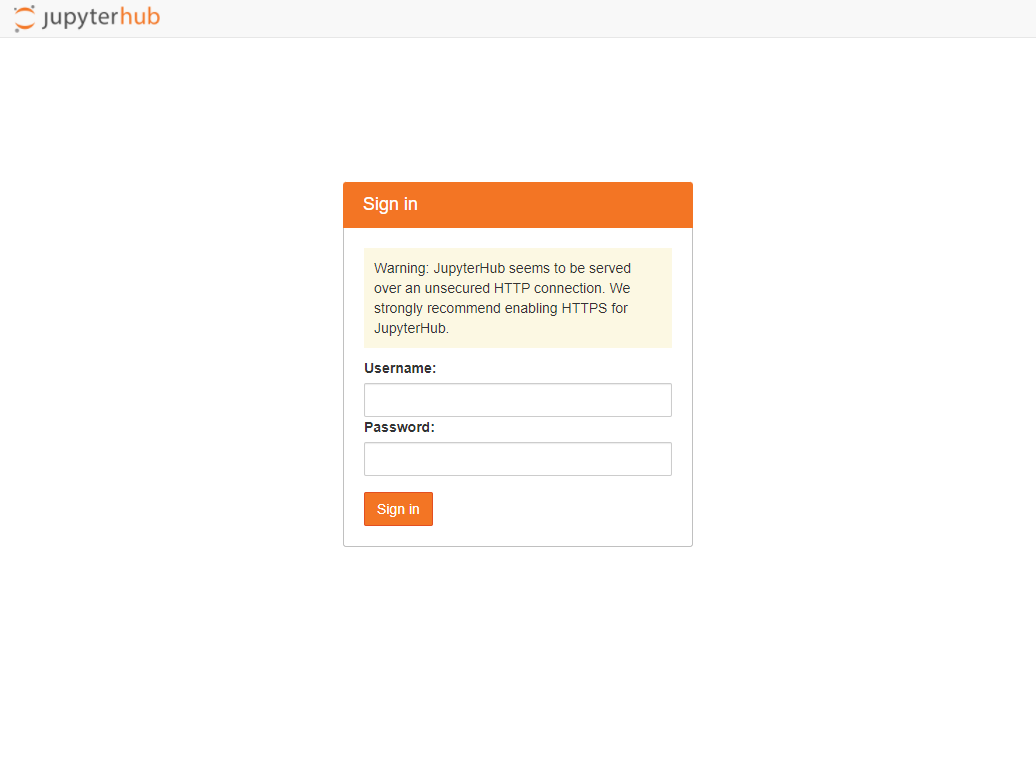 |
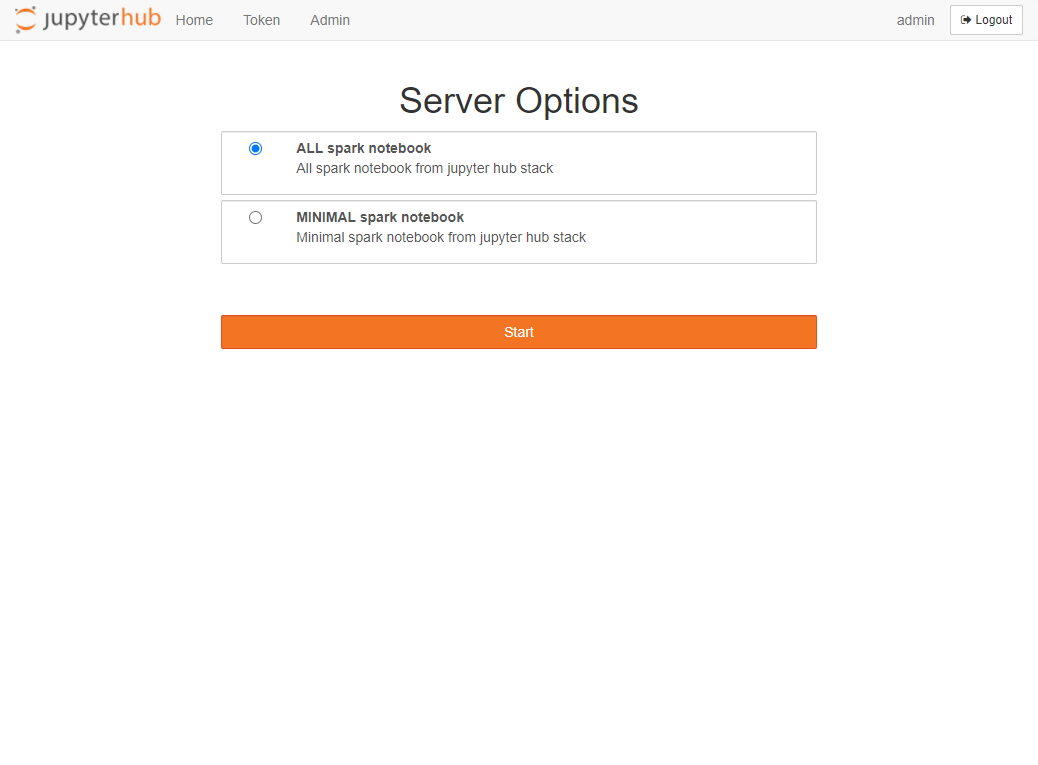 |
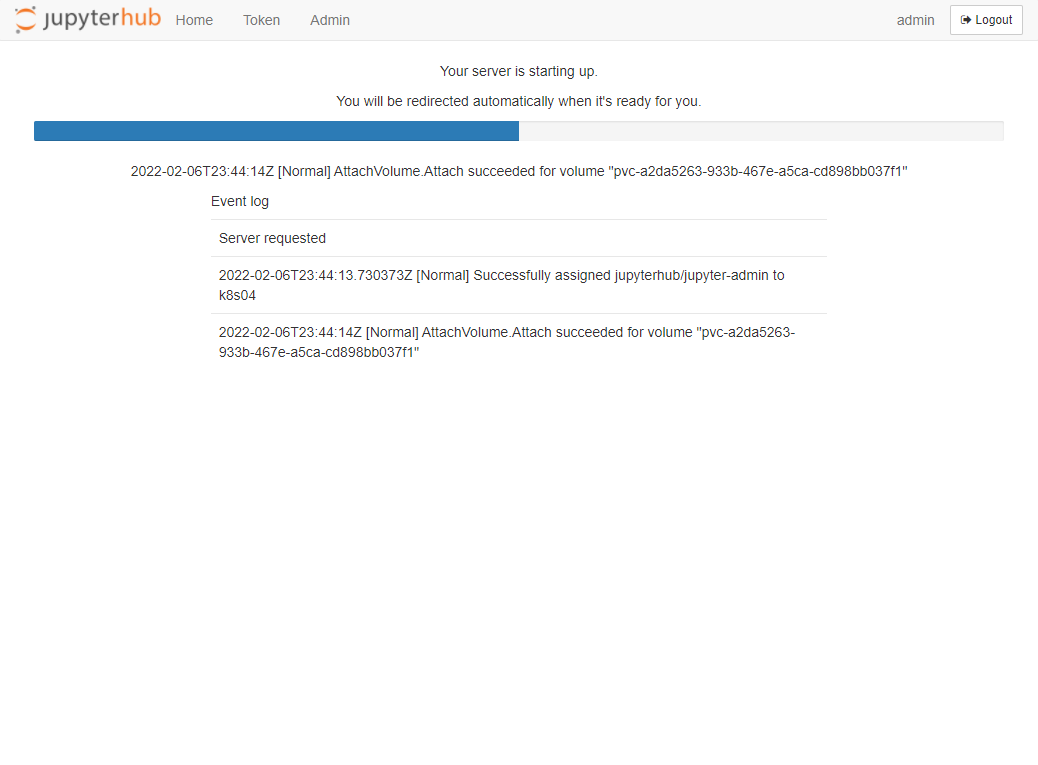 |
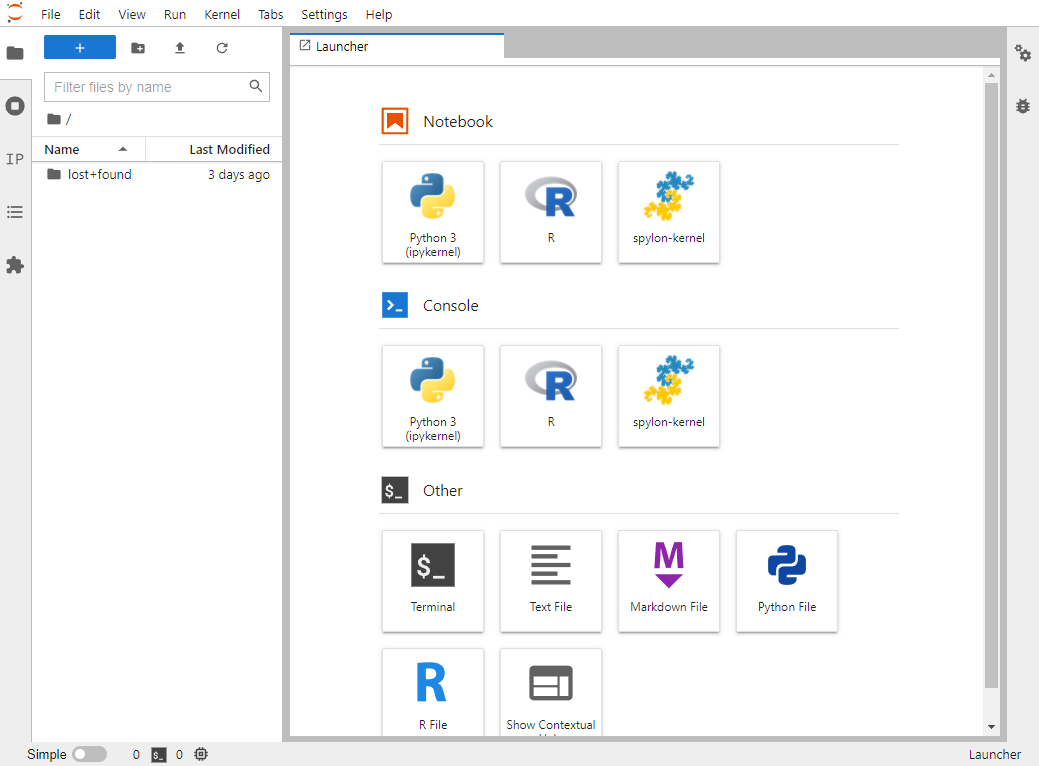 |
¶ 노드 선택
다음을 추가한다.
  cmd: jupyterhub-singleuser
  defaultUrl:
  extraPodConfig: {}
  profileList:
    - display_name: "Minimal notebook"
      description: "Minimal spark notebook from jupyter hub stack"
      default: true
      kubespawner_override:
        node_affinity_preferred:
          - weight: 1
            preference:
              matchExpressions:
              - key: nvidia.com/gpu.deploy.operands
                operator: In
                values:
                - "false"
        extra_resource_limits:
          nvidia.com/gpu: "0"
    - display_name: "All spark notebook"
      description: "All spark notebook from jupyter hub stack"
      kubespawner_override:
        image: repository:8443/library/jupyter/all-pyspark-notebook:latest
        extra_resource_limits:
          nvidia.com/gpu: "1"